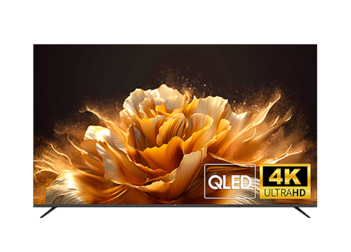

QHD IPS 100Hz, versatile connectivity, frameless design, eye protection, ergonomic tilt & VESA mount—ideal for gaming/office.
NicHub TVs are primarily available in the following sizes: 43-inch, 50-inch, 55-inch, 65-inch, 70-inch, 75-inch, 85-inch, 98-inch, and 100-inch. Based on the specific characteristics of each size and usage scenarios, we recommend the following selection method:
How to Calculate the Best Viewing Distance
Choosing the suitable TV size is key to obtaining the best viewing experience, which requires considering viewing distance, resolution, and the viewing environment. We calculate this based on a widely recognized formula: Best Viewing Distance (cm) ≈ TV Size (inches) × 2.54 × (1.5 ~ 2.5).
×1.5 Coefficient: Corresponds to a Closer Viewing Distance. This is suitable for users pursuing an Immersive Experience (such as watching movies or playing games), allowing you to feel more details and a sense of presence.
×2.5 Coefficient: Corresponds to a Comfortable Viewing Distance. This is suitable for Long-term Viewing (such as watching news or TV dramas), ensuring that eyes do not fatigue easily.
Quick Reference Table for TV Sizes and Viewing Distances:
The following is a simplified quick reference table to help you choose the appropriate size according to your usage environment:
TV Size (Inches) | Rec. Minimum Distance (×1.5 Immersive) | Rec. Comfortable Distance (×2.5 Relaxed) |
40-inch | Approx. 1.5 meters | Approx. 2.5 meters |
43-inch | Approx. 1.6 meters | Approx. 2.7 meters |
50-inch | Approx. 1.9 meters | Approx. 3.2 meters |
55-inch | Approx. 2.1 meters | Approx. 3.5 meters |
65-inch | Approx. 2.5 meters | Approx. 4.1 meters |
75-inch | Approx. 2.9 meters | Approx. 4.8 meters |
85-inch | Approx. 3.2 meters | Approx. 5.4 meters |
98/100-inch | Approx. 3.8 meters | Approx. 6.2 meters |
DLED, QLED, and MiniLED are currently the most common LCD TV backlight technologies on the market. They directly determine Picture Quality, Contrast, and Price.
DLED and MiniLED refer to the Backlight Technology behind the screen, using different design methods.
QLED refers to the Color Display Technology of the screen, which is a picture quality enhancement technology.
Ultimately, they all affect the Picture Quality Performance of your viewing.
Buying Advice Based on User Needs:
DLED TV: Suitable for users who do not have high requirements for picture quality and primarily use the TV for watching standard TV programs and online videos. It is budget-friendly.
QLED TV: Suitable for users who pursue Vivid Colors, enjoy watching landscape documentaries and sports events, and have a living room with relatively bright lighting.
MiniLED TV: Pursues High Contrast and HDR Effects. It is suitable for users who love watching sci-fi movies, dark-scene movies, and playing AAA game masterpieces, as well as users who are sensitive to light blooming (halos).
For daily viewing needs, the color performance and brightness of DLED TV are already excellent. However, if your budget is sufficient and you pursue a premium experience (such as immersive sports viewing or gaming), the picture quality advantages of QLED TV and MiniLED TV will bring significant improvements and are worth prioritizing for an upgrade.
The essence of resolution is how many glowing pixels are on the screen, usually expressed as Horizontal Pixels × Vertical Pixels. The more pixels there are and the denser they are, the finer the image. Mainstream TV resolutions fall into three categories:
HD (1366*768): Often referred to as 720P.
FHD (1920*1080): Often referred to as 1080P.
UHD (3840*2160): Often referred to as 4K.
These represent an upgrade in screen clarity (resolution). The larger the number, the clearer the picture and the richer the details.
NicHub TV Resolution Lineup:
Currently, NicHub TVs feature HD, FHD, and UHD resolutions:
32-inch: Generally comes with HD resolution.
40-inch: Generally comes with FHD resolution.
43-inch: Available in both FHD and UHD resolutions.
50-inch and above: All models feature 4K UHD resolution.
Simply put, the higher the resolution, the finer the TV picture and the richer the content clarity.
As an official certified and authorized partner of Samsung Electronics, all NicHub Smart TVs are uniformly equipped with the TizenOS Smart TV Operating System independently developed by Samsung Electronics.
Why TizenOS?
Samsung TV has been the brand occupying the No. 1 global TV market share for 19 consecutive years. TizenOS is deeply integrated into the Samsung ecosystem with the concepts of simplicity, speed, and ease of use, making it the world’s most mainstream smart TV operating system.
Key Features:
Smooth Interface: NicHub TVs equipped with TizenOS possess an extremely concise and smooth interface that runs without lagging.
Global App Support: In most regions globally, it supports top-tier streaming apps such as Netflix, Disney+, YouTube, Prime Video, and Apple TV+.
Exclusive Apps: It also features free exclusive applications like Samsung TV Plus and Samsung Gaming Hub.
Smart Home Integration: It supports Bixby Voice Recognition technology. Through the SmartThings app, it can seamlessly connect with smart home devices from Google Home, Apple HomeKit, Yandex, IKEA, Philips Hue, and more.
The “High Refresh Rate” often mentioned in TV advertisements refers to the maximum refresh rate supported by the TV screen. This is a very important indicator, measured in Hz (Hertz).
60Hz: The screen refreshes 60 times per second, displaying 60 frames.
120Hz: The screen refreshes 120 times per second, displaying 120 frames.
144Hz: The screen refreshes 144 times per second, displaying 144 frames.
Important Note on Content Source:
A point easily overlooked is that a high refresh rate TV screen must be matched with Content Source of the same high frame rate to display the best effect. For example, a 120Hz TV screen needs to play a 120fps video source to show the optimal picture effect.
Movies: Typically 24fps.
TV Shows: Typically 30fps.
Sports/Games: Typically 60fps.
High Frame Rate (120Hz+): Sources above 120Hz are relatively few, primarily applicable to large-screen Esports Gaming (such as connecting PS5/Xbox consoles).
NicHub Product Support:
NicHub 4K Smart TVs have products supporting various refresh rates including 60Hz, 120Hz, and 144Hz.
Normally, it is not necessary for every user to purchase a 120Hz/144Hz high refresh rate TV. We only recommend choosing high refresh rate TV products for users who have extremely high requirements for picture quality and dynamic response, and who also use the large screen for gaming or watching fast-paced sports.
Yes. NicHub Smart TVs equipped with the TizenOS system integrate the Virtual Intelligent Voice Assistant Bixby.
By using the Bluetooth Voice Remote Control provided by NicHub in conjunction with Bixby, you can achieve voice control operations for the NicHub TV.
Example Usage: Press the microphone button on the remote control and say: “Hi Bixby, find action movies.” The NicHub TV will search for relevant content for you. Other commands include “Play Stranger Things on Netflix.”
Yes, NicHub Smart TVs are uniformly equipped with the TizenOS Operating System. Samsung’s global software teams constantly iterate software versions based on the development of different regions and technologies to enhance product experience and add functions.
How to Update:
Once Samsung pushes a software update version in the background, the NicHub Smart TV will receive an Upgrade Prompt when it is turned on and connected to the internet. Users can choose to install the update themselves. This Over-The-Air (OTA) mechanism ensures your NicHub Smart TV gets better and easier to use over time.
Warranty Period:
Whole Machine Warranty for 3 Years.
Warranty Scope:
Covers failures occurring under Normal Use. It does not include human damage, accidental damage (such as dropping, water ingress), damage caused by disassembly or modification by non-official authorized personnel, damage caused by improper use, or second-hand purchases.
After-Sales Service Channels:
Users can apply for service through the Official Website, Customer Service Hotline, Authorized Service Centers, or Dealer Stores. We support on-site repair (in select regions) and mail-in repair services.
Data Safety:
If possible, please Log Out of All Accounts logged into the TV before sending it for repair to avoid accidental data loss during the repair process.
Warranty Proof:
Warranty service requires the Purchase Invoice and Warranty Card. If no proof is provided, the warranty period will be calculated based on the product’s factory manufacturing date.