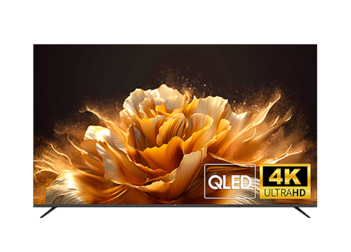

QHD IPS 100Hz, versatile connectivity, frameless design, eye protection, ergonomic tilt & VESA mount—ideal for gaming/office.
The core parameters mainly include size, resolution, refresh rate, response time, color gamut, brightness, and panel type.
Size: Product sizes primarily include 21.5-inch, 23.8-inch, 24.5-inch, 27-inch, 31.5-inch, 34-inch, 40-inch, and 49-inch.
Resolution: Main resolutions include FHD (1920×1080), QHD (2560×1440), WQHD (3440×1440), UHD (3840×2160), DFHD (3840×1080), and DQHD (5120×1440). The monitor size must be considered together with the resolution to achieve a more reasonable match.
Refresh Rate (Hz): Represents the number of times the screen refreshes the image per second. Below 120Hz is suitable for office use, while above 144Hz is suitable for Esports gaming.
Response Time (ms): Affects image ghosting. Monitors with high refresh rates have higher requirements for response time. For gaming monitors, it is recommended to choose products with a response time within 5ms to obtain a better gaming experience.
Color Gamut: Refers to the range of colors the monitor can cover. Monitors with a higher color gamut can restore richer colors and provide better visual effects.
Panel Type: Includes TN, VA, and IPS. Each of the three types has its advantages: for example, TN screens have fast response speeds, VA screens have high contrast, and IPS screens have good color performance.
Monitor products are not “the bigger, the better.” Matching a reasonable product size to different usage scenarios will result in a better product experience and higher cost-effectiveness.
Office Work: It is recommended to use 23.8-inch monitors.
Design: It is recommended to use 27-inch monitors.
Esports Gaming: It is recommended to use 27-34 inch monitors.
Split-Screen/Multi-Window Applications: It is recommended to use 32-inch or larger, or Ultrawide monitors with a ratio of 21:9 or above.
You can set up and use these modes within the computer’s display settings.
Clone Mode (Duplicate): Can project the same display content, resolution, and refresh rate onto different monitors.
Extend Mode: Allows you to obtain a larger display interface across multiple monitors. You can move applications from one monitor to another, and multiple monitors can display different content, resolutions, and refresh rates.
Myth 1: “Higher resolution is always better.”
Resolution must be considered together with size to obtain a more reasonable product combination. For small sizes such as 24 inches or 27 inches, UHD (4K) resolution will require scaling in Windows, resulting in an experience almost identical to QHD, making the upgrade less noticeable.
Myth 2: “Higher refresh rate is always better.”
For office or design use, where there are many static images and low requirements for dynamic images, a refresh rate of 60-120Hz is sufficient to meet daily needs. For non-professional gamers, 144Hz-240Hz is enough to obtain a good gaming experience. Higher refresh rates, such as 300Hz or 400Hz, will place a significantly heavier burden on the graphics card, and the cost of the graphics card will also be higher.
Myth 3: “High refresh rate implies faster response time.”
Refresh rate and response time are independent of each other. A high refresh rate does not mean the response time will definitely be fast. A high refresh rate alone cannot solve ghosting; only a low response time combined with a high refresh rate can eliminate ghosting.
VGA (D-Sub): An analog video signal interface. It is an old video signal mode with a maximum supported resolution of 1080P. It is mostly used for monitor products compatible with older computers.
HDMI: Can achieve high-definition picture quality and audio output simultaneously. It has good compatibility and is widely used, but its bandwidth is limited (e.g., HDMI 2.0 supports UHD at 60Hz).
DP (DisplayPort): Can achieve high-definition picture quality and audio output simultaneously. Its bandwidth is higher than HDMI, supporting high resolutions and high refresh rates (e.g., DP 1.4 can drive UHD at 144Hz). It is widely used in high-end gaming monitors.
Type-C (USB-C): Can achieve high-definition picture quality and audio output simultaneously, and can also supply power to the signal source. It is suitable for expanding the use of laptops and mobile phones.
For non-multimedia smart monitors, the camera, microphone, and USB Hub are additional configurations independent of the monitor.
You must use a USB cable to connect the USB interface on the monitor body to the USB interface on the PC side. Then, use the corresponding APP on the PC side to utilize the relevant functions.
Golden Size: 24-27 inches is the golden size for daily-use monitors.
Ergonomics: Products paired with a height-adjustable stand can be adjusted to a more suitable angle and height at will, avoiding waist and neck fatigue caused by sitting for a long time.
Gaming Experience: Ambient lighting (RGB) can bring a cool gaming experience.
Visual Quality: Look for appropriate product brightness, soft color tones, and high color accuracy.
Quality Assurance: Consider perfect craftsmanship, details, and guaranteed after-sales service.
Warranty Period: 3 Years for the whole machine (including casing and internal power supply) and major components (including display screen, motherboard, and external power supply).
Warranty Scope: The above warranty is limited to normal usage scenarios. It does not include failures caused by commercial or outdoor use, nor does it cover human damage (such as dropping, water ingress) or failures caused by failure to operate according to the instruction manual.